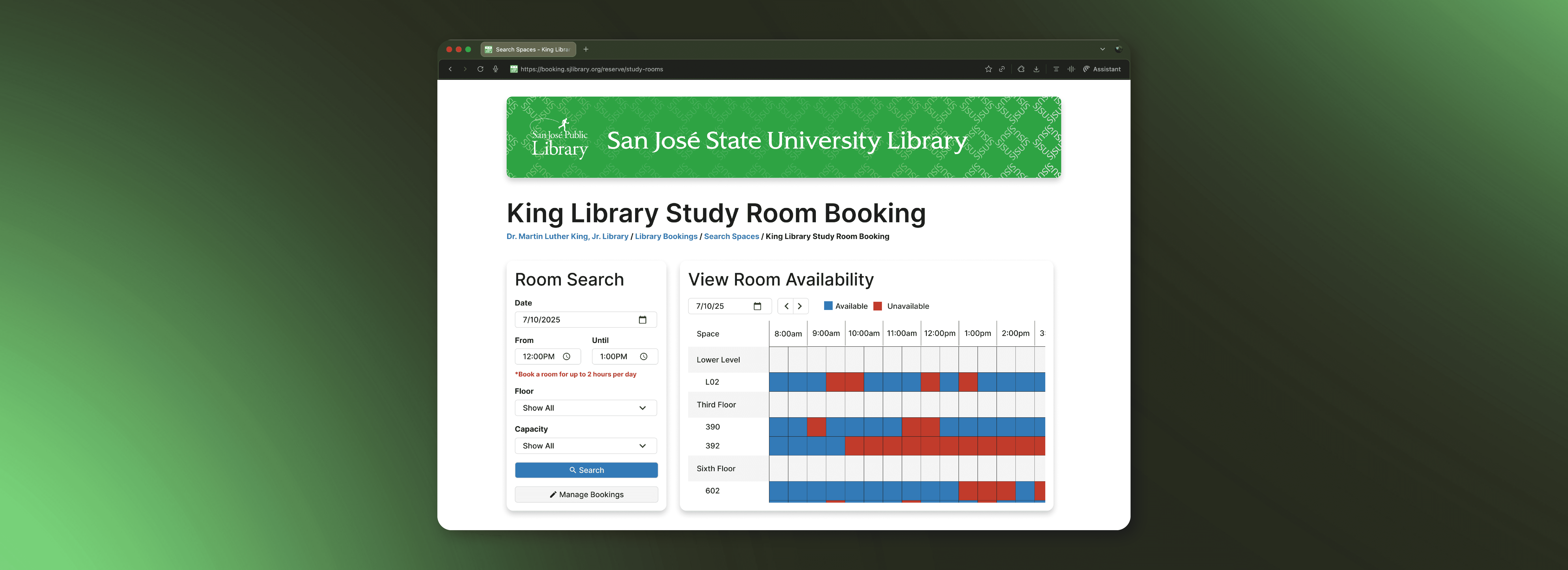
King Library Booking Portal
A concept redesign of the San Jose State University & King Library's study room booking portal, focused on user research to streamline reservation flows.
Context
Student Project
Timeline
6 weeks (2025)
Role
Sole UX Designer
Highlights
Final Prototype
I designed and built a high-fidelity interactive prototype to test solutions for key user pain points, validating a simplified room-search flow and improved visual hierarchy through user testing.
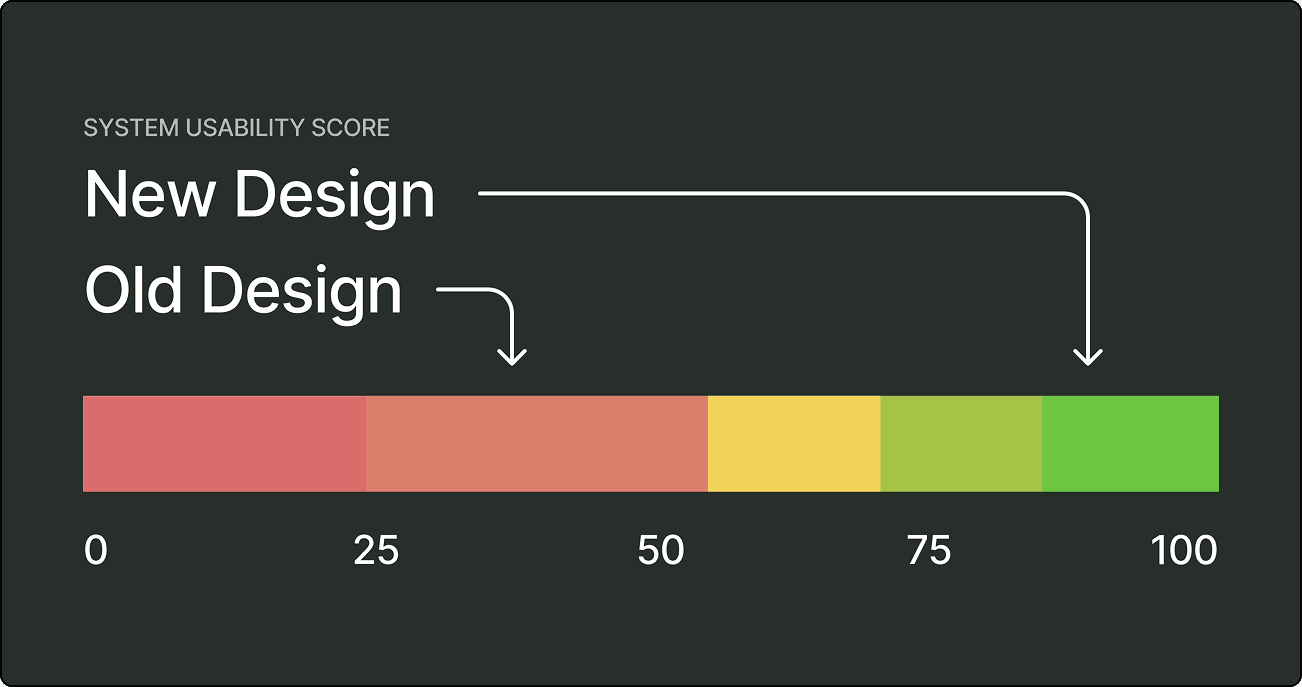
+50.5 SUS Usability Increase
Testing and design elevated the portal from an Unacceptable (37/100) to an Excellent (87.5/100).
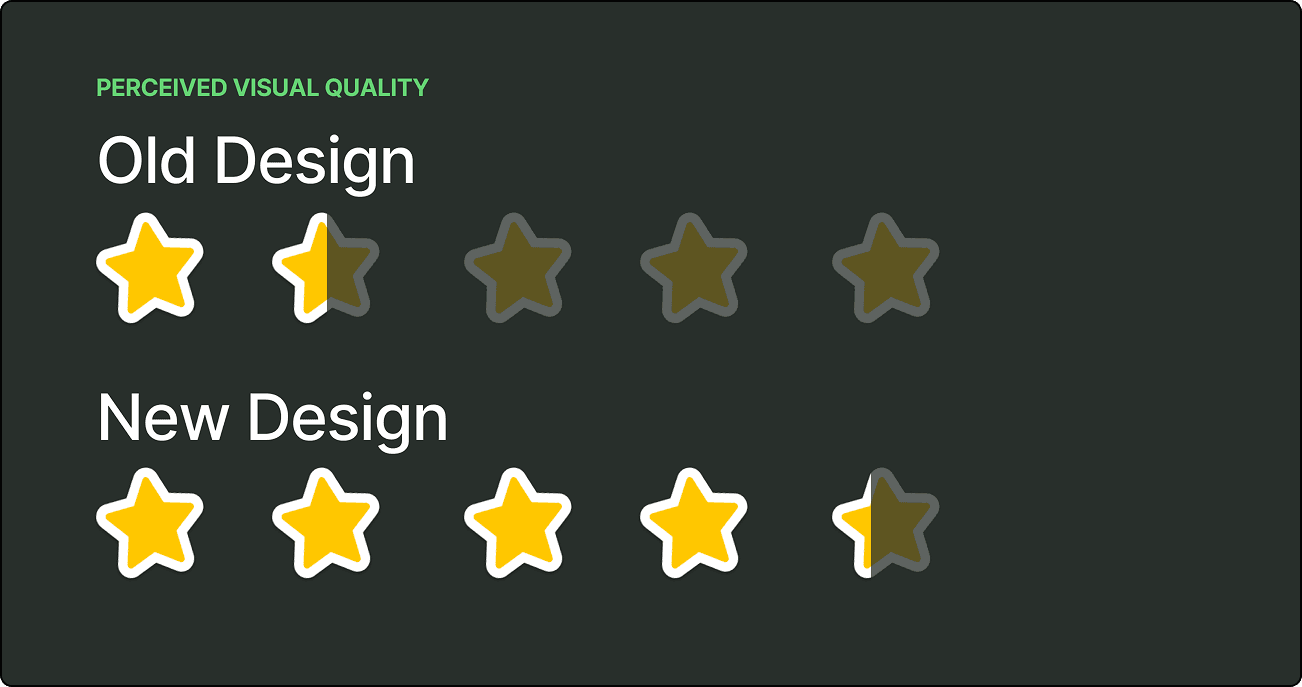
+183% Perceived Visual Quality
Likert ratings for visual design and layout jumped from an average of 1.5/5 to 4.25/5.
Context
This portal serves thousands of students every semester, yet persistent usability flaws make booking a room frustrating and deeply inefficient. I redesigned the platform for my UX Research course to create a streamlined, friction-free reservation experience.
Background
The portal is primarily used by SJSU students.
Used to books private rooms for calls, studying, or resting.
Jointly ran by SJSU and San Jose Public Library.
Design Audit
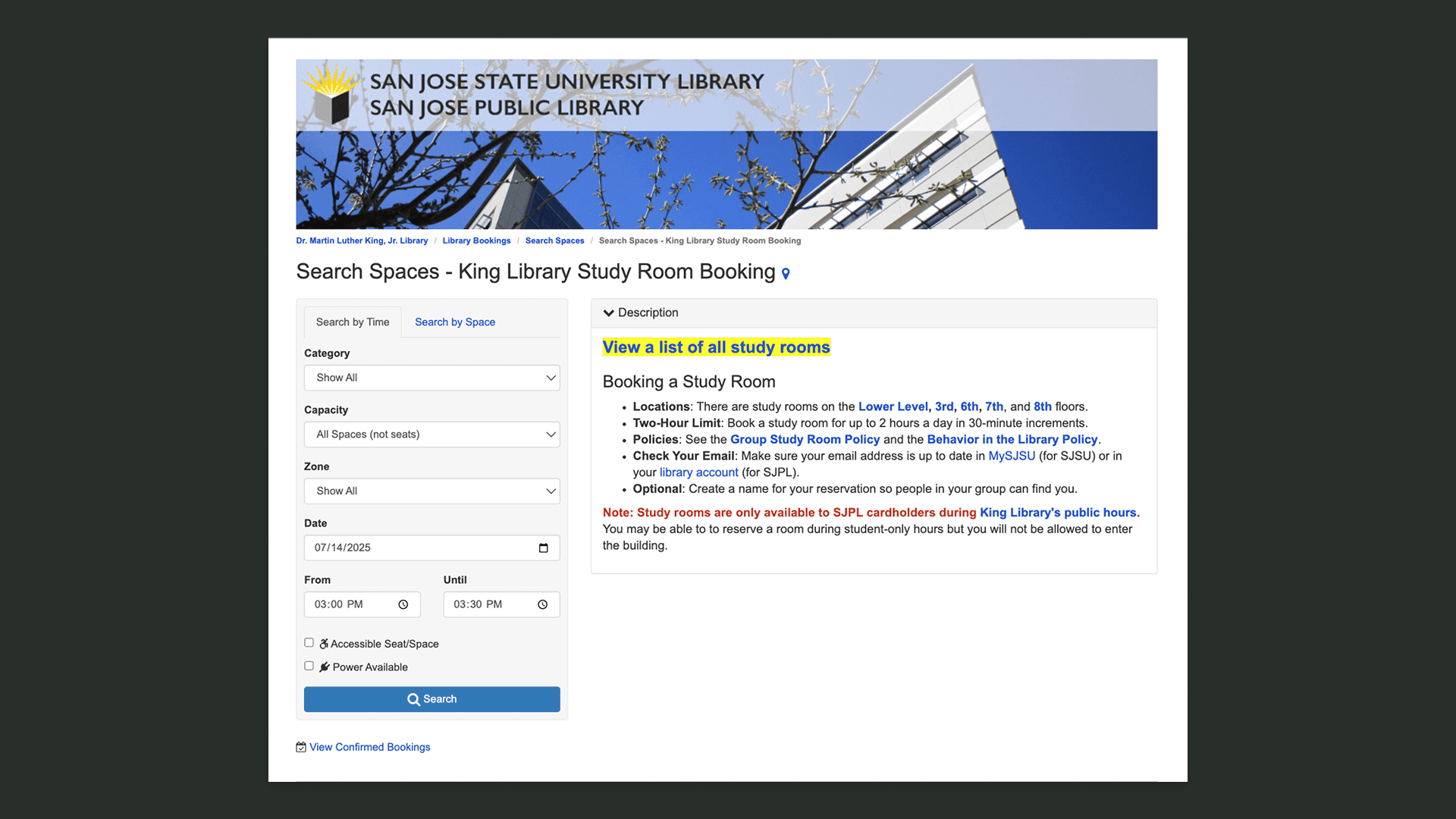
Evaluating the Original Design
I combed through the original portal and mapped potential issues against Nielsen Norman Group's 10 Usability Heuristics, uncovering several friction points.
Critical Issues
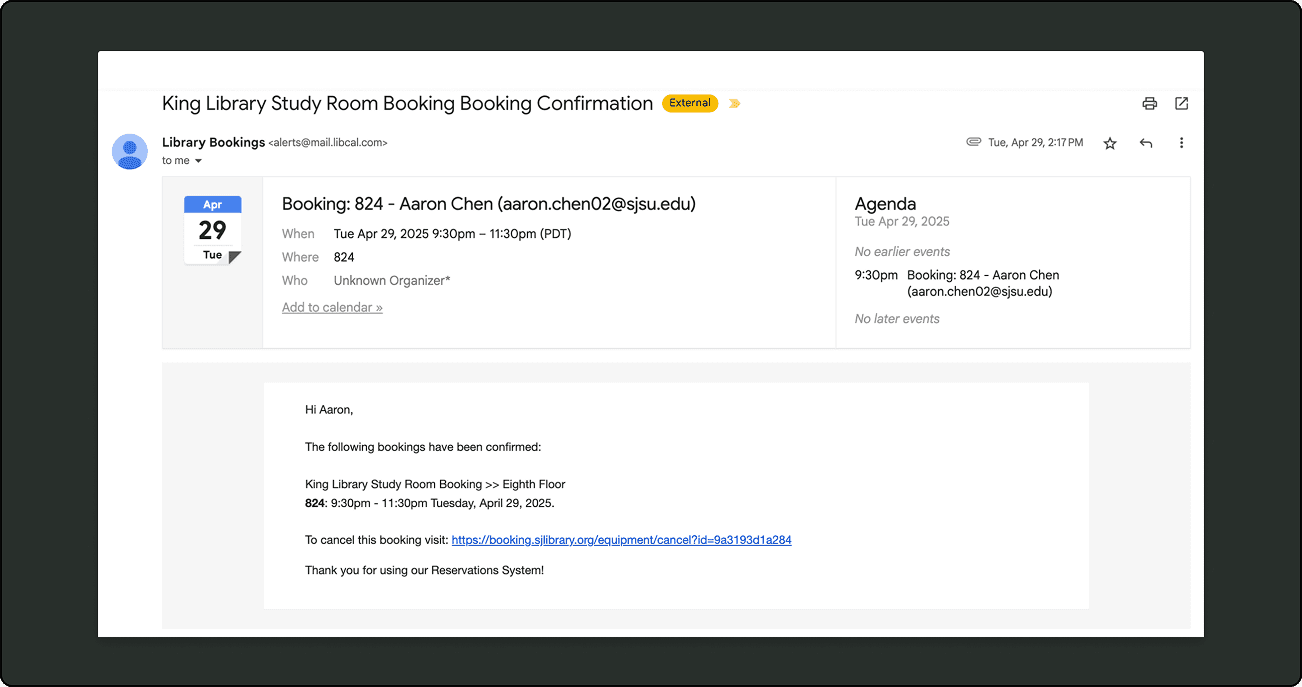
No Direct Booking Management
Users cannot edit or view reservations in the platform and must search through confirmation emails to cancel.
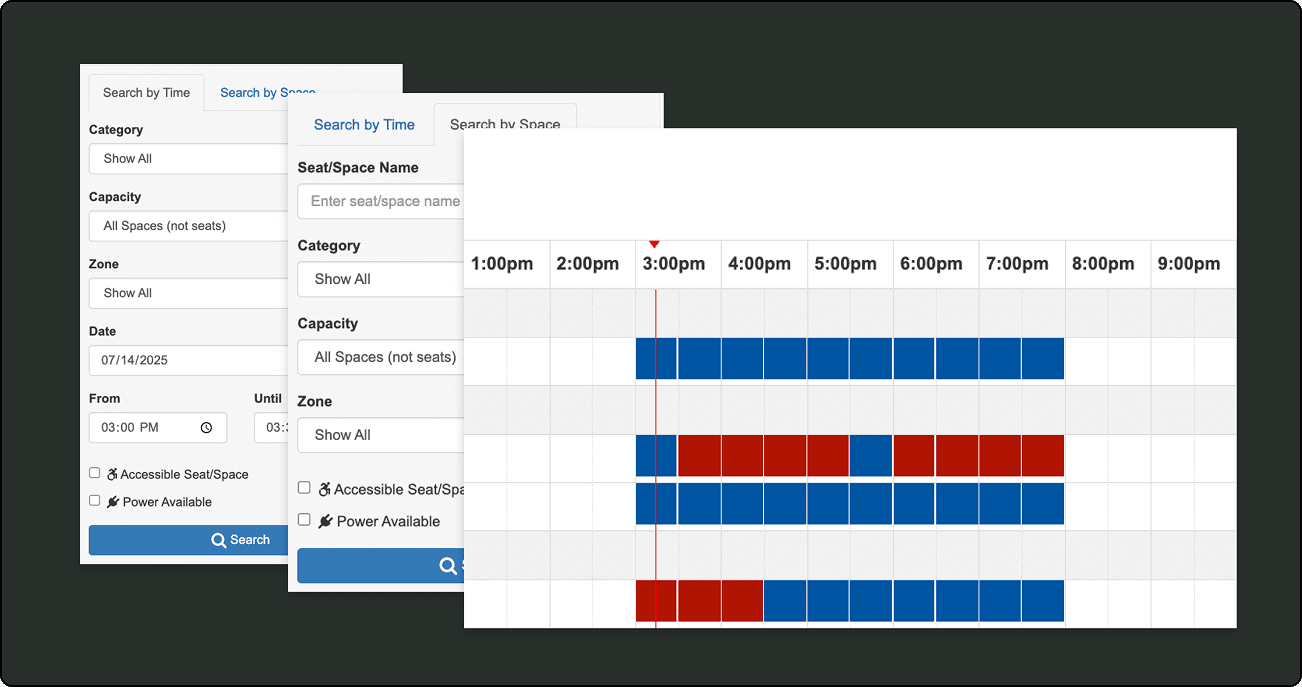
Choice Overload
The ability to book by time, space, and calendar view is unnecessary and overwhelming for a simple task.
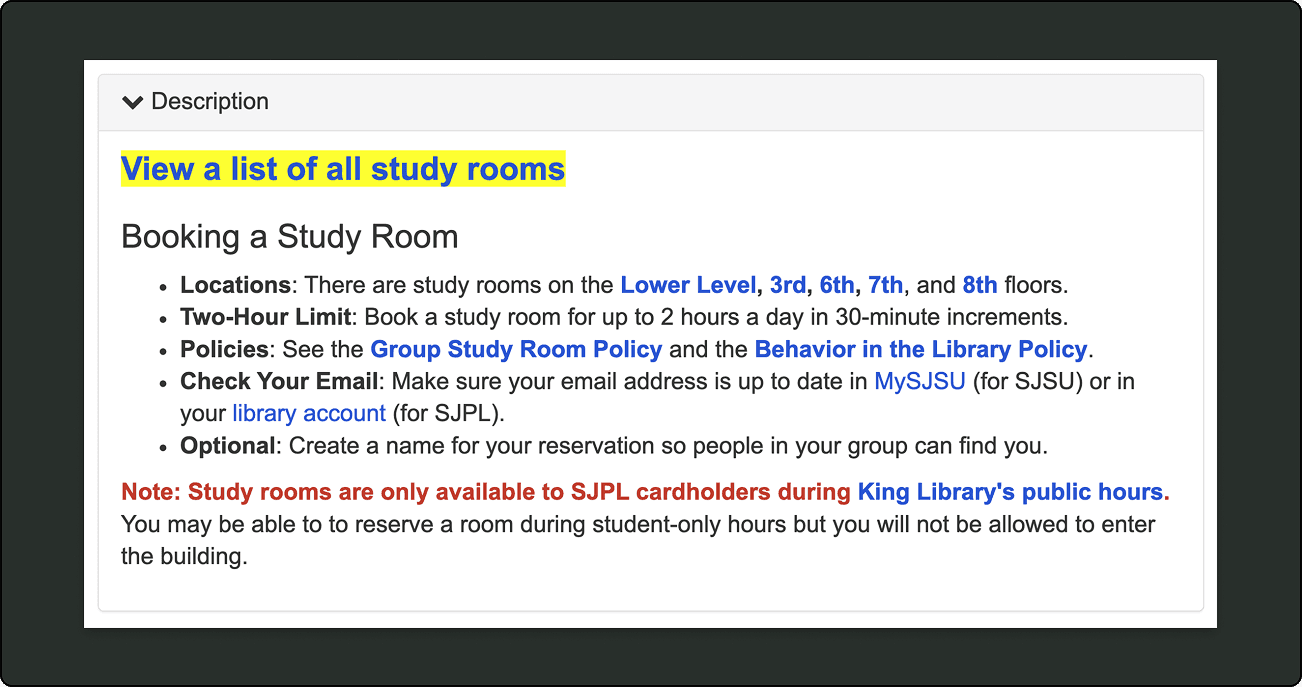
Poor Visual Hierarchy
Critical booking policies and room details are buried in a messily formatted and text-heavy description block.
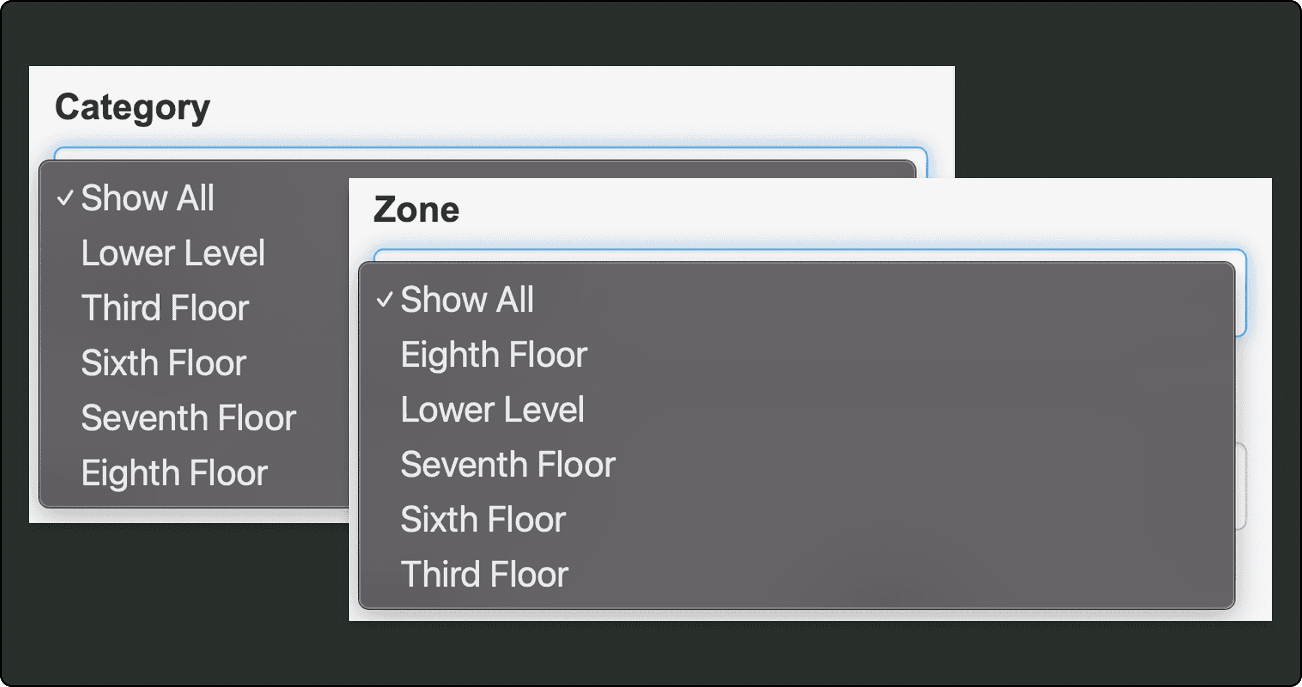
Inconsistency in Terms
The dropdowns for "Category" and "Zone" list the exact same floor items without explaining the difference.
Usability Testing
I tested 5 SJSU students on a common real-world scenario: book a study room for a group project, then try to modify the reservation.
Methodology
Qualitative / Behavioral: Think-aloud protocol & task observation to capture navigation.
Quantitative / Attitudinal: Post-test System Usability Scale (SUS) & 5-point Likert ratings.

The largest issue by far was whenever a group's schedule changed, every single participant failed to reschedule because the portal simply had no way to view or edit existing bookings.
Research Findings
Usability testing and post-task surveys revealed significant friction across the booking experience, resulting in high error rates and low user confidence.
Pain Points
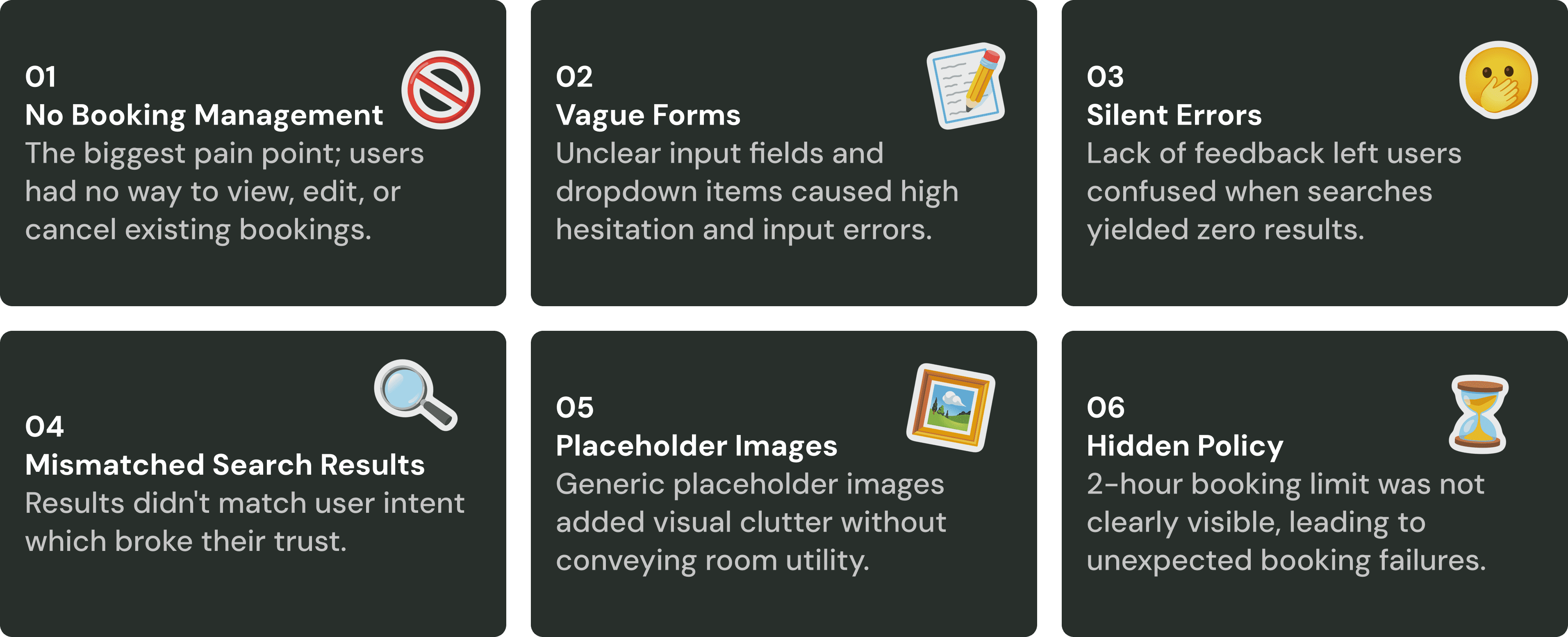
Metrics Measured

A System Usability Scale (SUS) score of 37/100 places the existing portal in the Unacceptable (F) range, well below the industry average of 68.

When asked "overall, I found the booking portal easy to use and not confusing," the average ranking was at 2.75/5
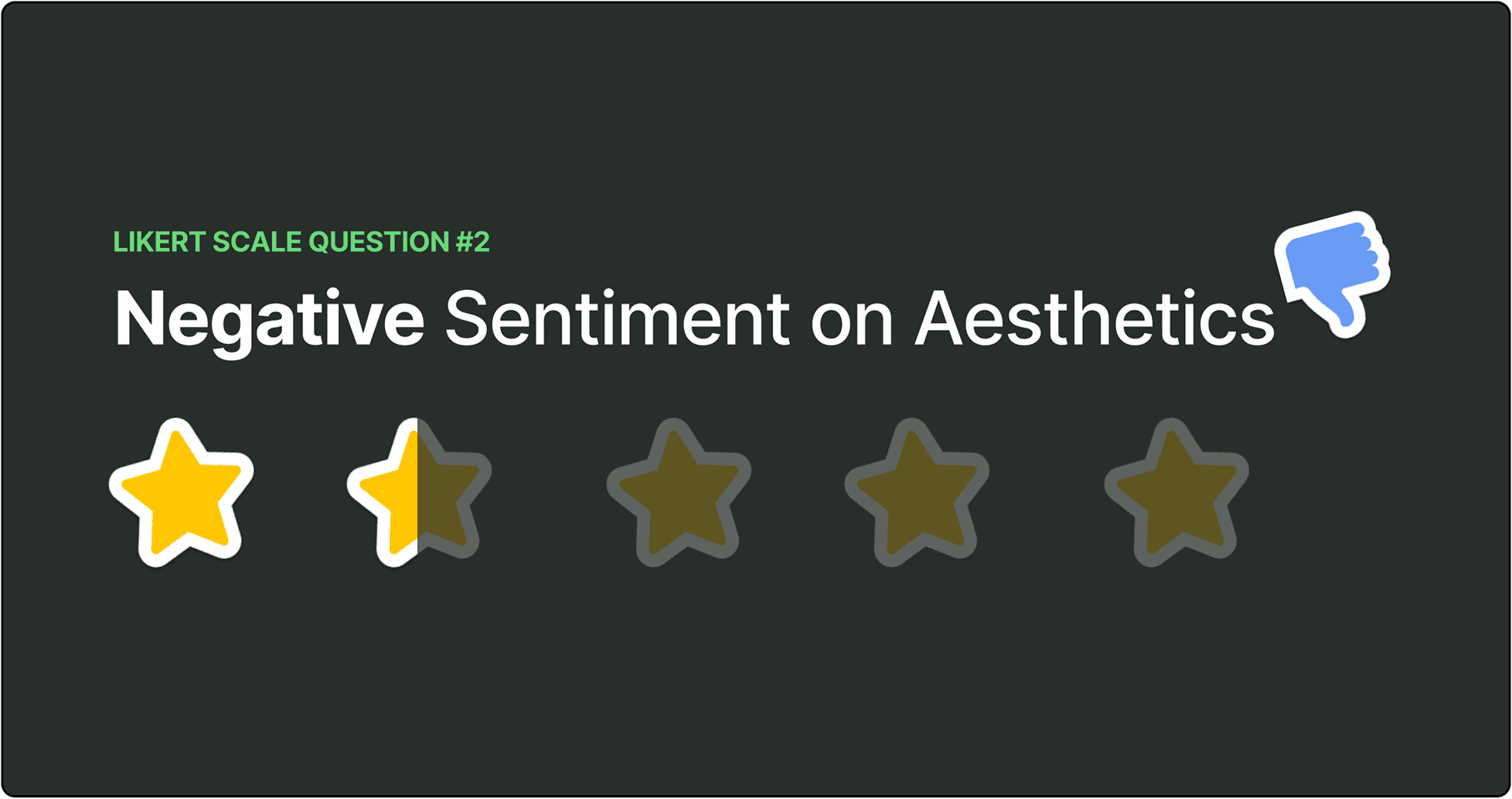
When asked, "overall, I found the booking portal aesthetically pleasing and well-organized," the average ranking was at 1.5/5
Final Design
Unified Landing Page
I replaced the visually busy banner and removed the wall of text, integrating details only where relevant. The search form and calendar are now side-by-side, supported by a clearer visual hierarchy for faster scanning.
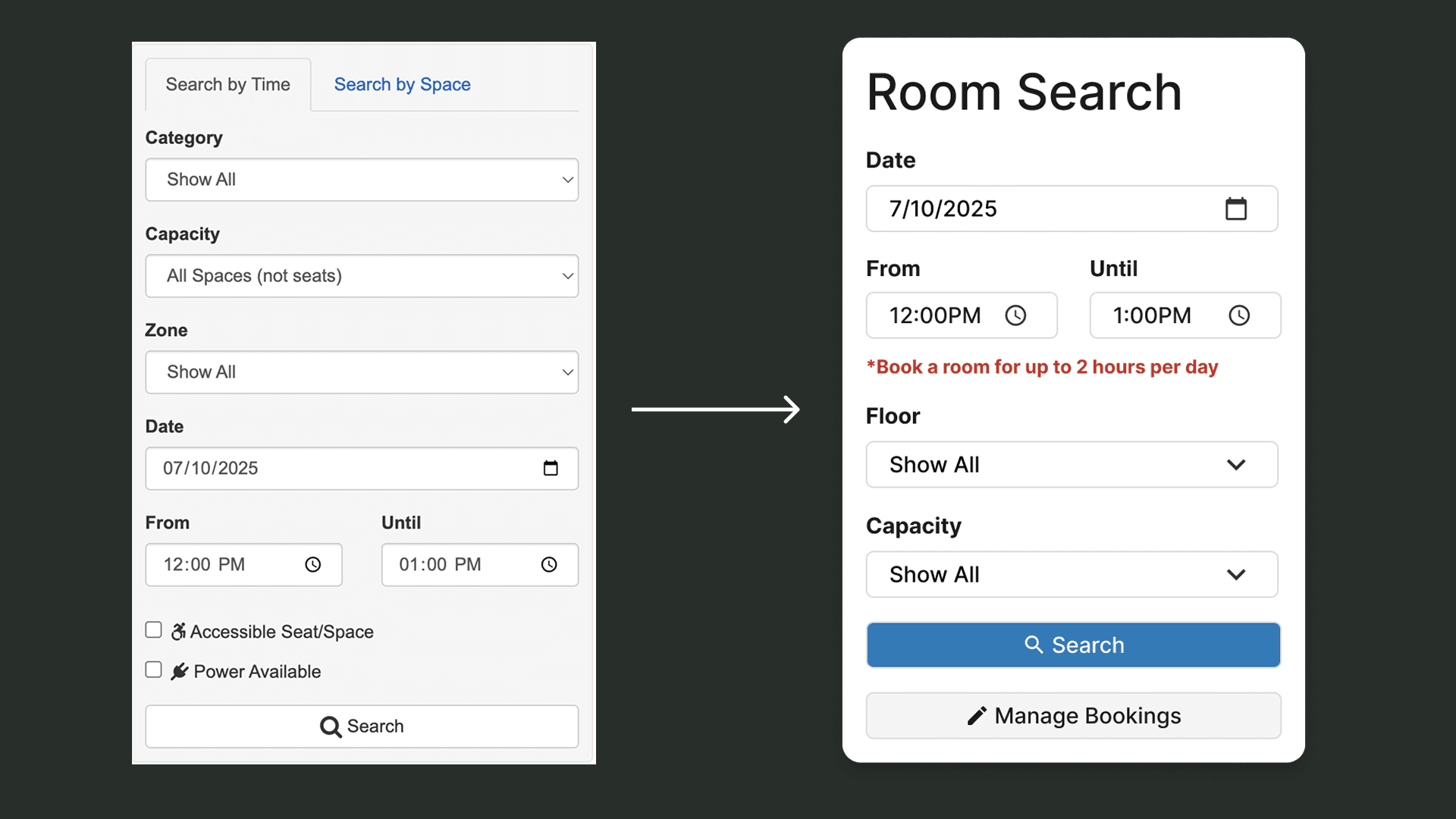
Simplified Filter Search
I combined the separate time and space tabs into one cohesive search form. I made the 2-hour booking limit clear upfront and removed redundant fields to keep the form fast and streamlined.
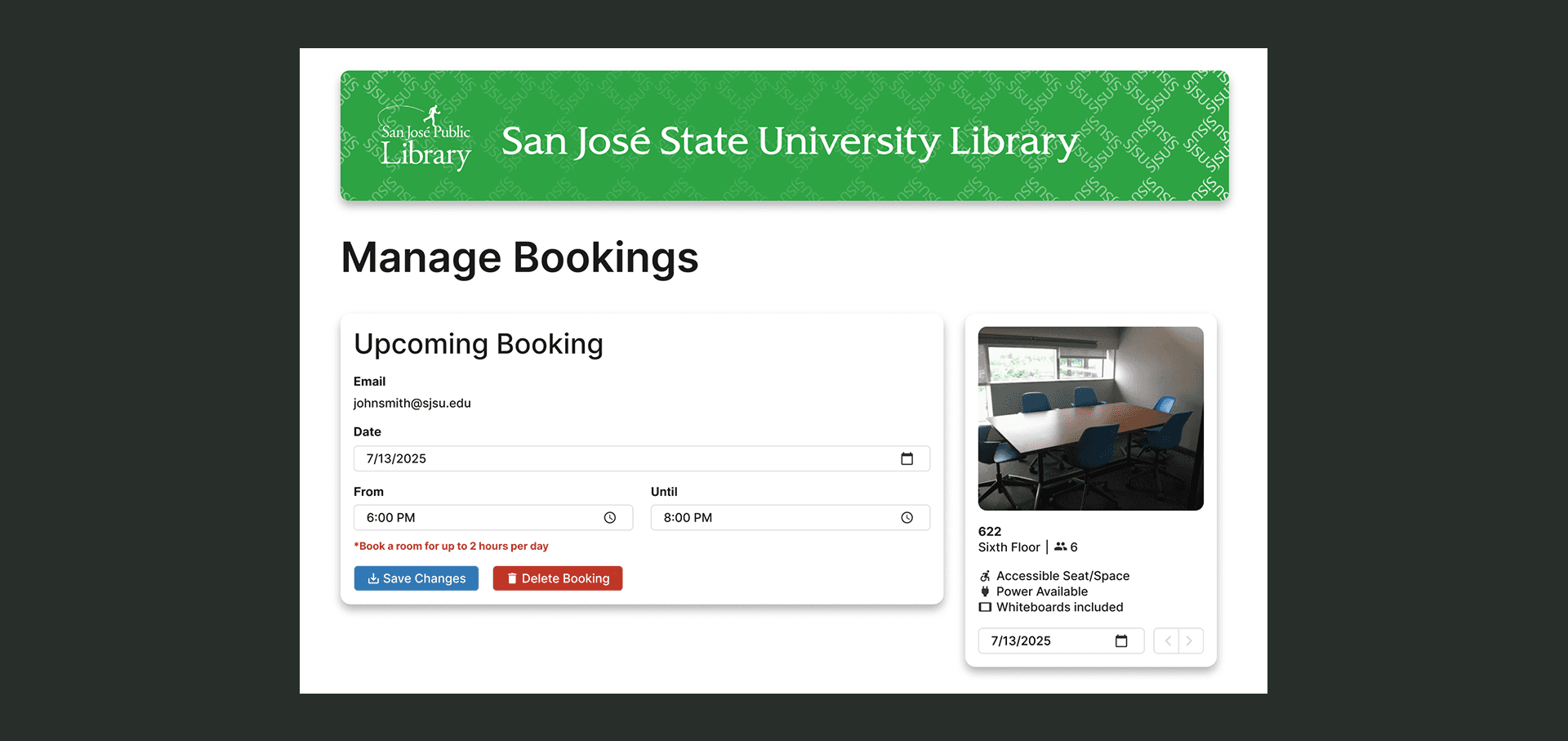
Direct Booking Management
I added a dedicated management page so students can easily modify or cancel reservations directly on the site. In addition, the modular card design scales smoothly if a student has multiple bookings.
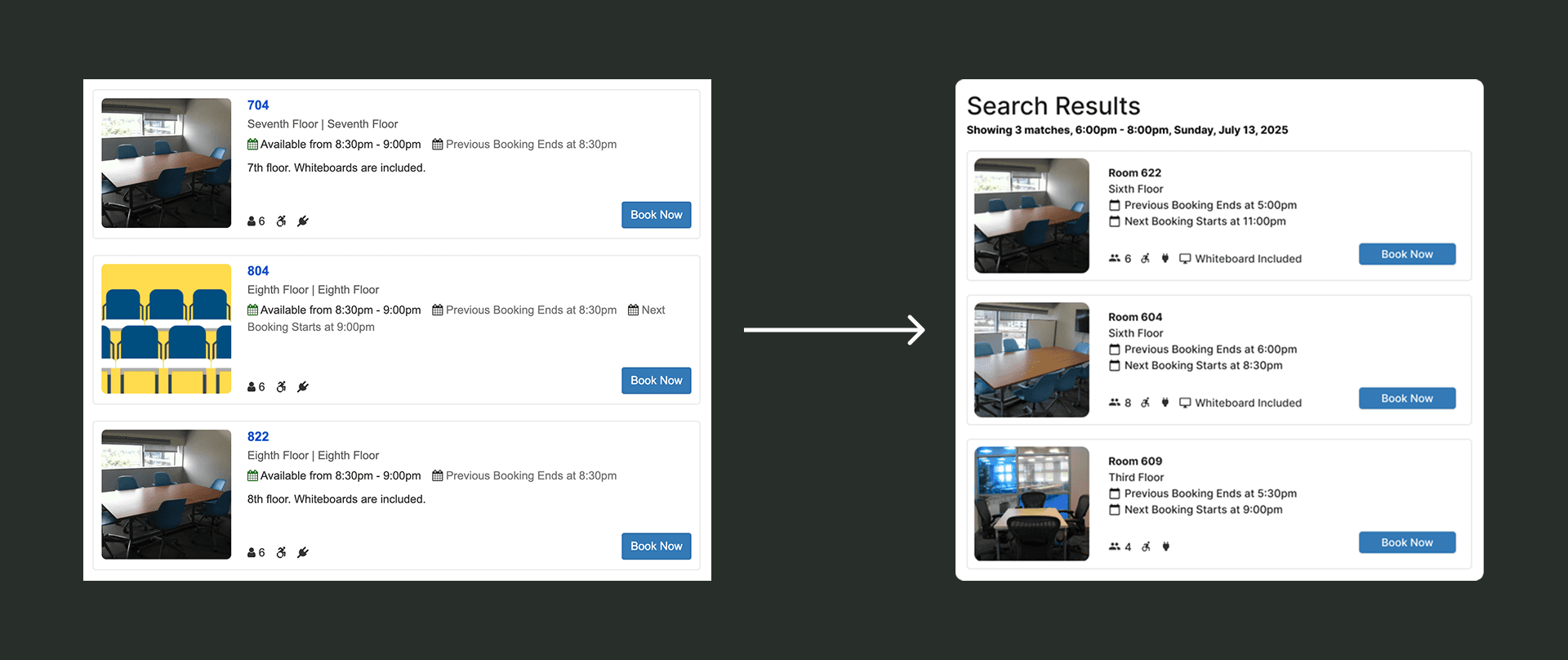
Scannable Room Cards
I replaced generic placeholder graphics with actual room photos so students know what to expect. I also refined the information architecture of each card to make key room details and booking status much easier to scan.
Interactive Figma Prototype
I built a high-fidelity interactive prototype to validate the redesigned booking flow in a second round of usability testing. Watch the complete walkthrough above, or test the live Figma prototype here ↗!
Outcome
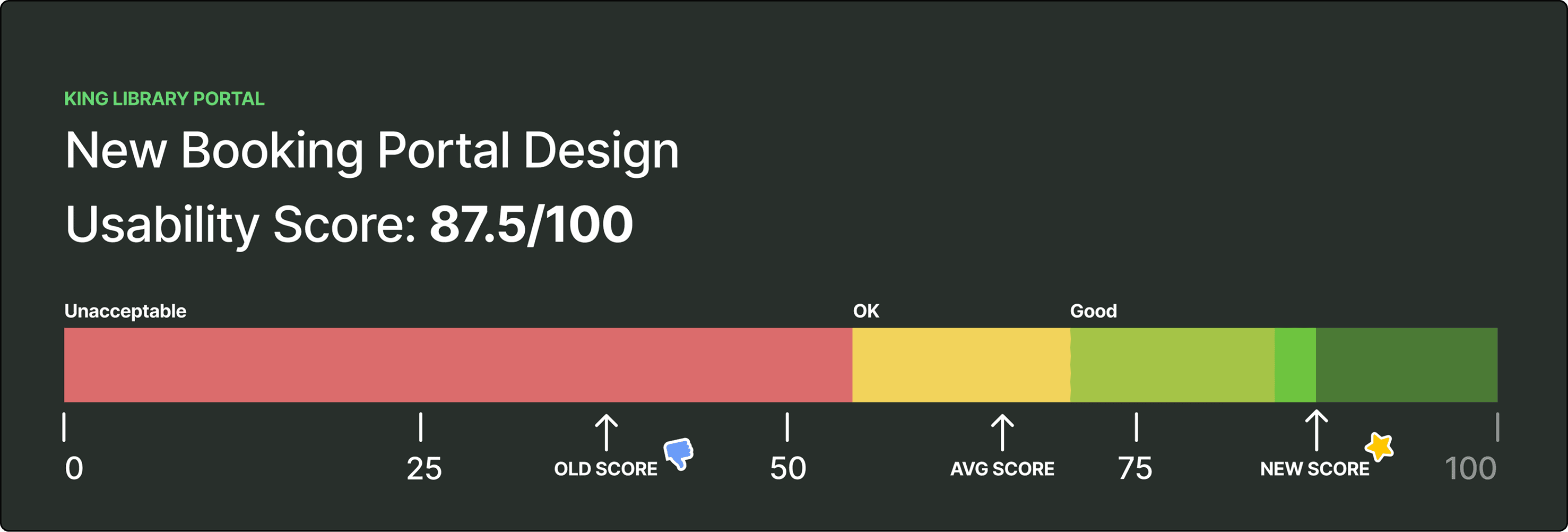
SUS Rating Reached Excellent (87.5/100)
A second round of testing with 5 students using the same procedure measured a +50.5 point increase over the initial baseline of 37/100.

Average ratings rose from 2.75 → 4.25 out of 5 when asked if the portal was easy to use and not confusing.

Average ratings rose from 1.5 → 4.25 out of 5 when asked if the portal was aesthetically pleasing and well-organized.
By grounding decisions in user testing, I transformed a high-friction booking portal into an intuitive, scalable scheduling system that can seamlessly serve thousands of students each semester!
Reflection
Scoping & Constraints
Due to the 6-week timeline, I prioritized user testing the core booking flow, scoping out broad design exploration and the complex calendar grid view.
Data-Led Design
Through the user research process, I was able to see just how important evidence like user behavior and usability metrics are for design compared to just intuition and feeling.
Scaling Systems
Because this portal is under SJPL, I designed modular components that can easily scale across different library branches and handle multi-room bookings.

